Wprowadzanie domyślnych konta (ACD)
Konfiguracja Domyślne konta (ACD) służy do automatyzacji pewnego zakresu księgowości. W RamBase niektóre ACD są obowiązkowe, ale większość jest opcjonalna. Konfiguracja ACD w RamBase może być rozległa, ale zapewni wydajność i kontrolę księgowań księgi. ACD można konfigurować moduł po module, aby zyskać lepszy przegląd.
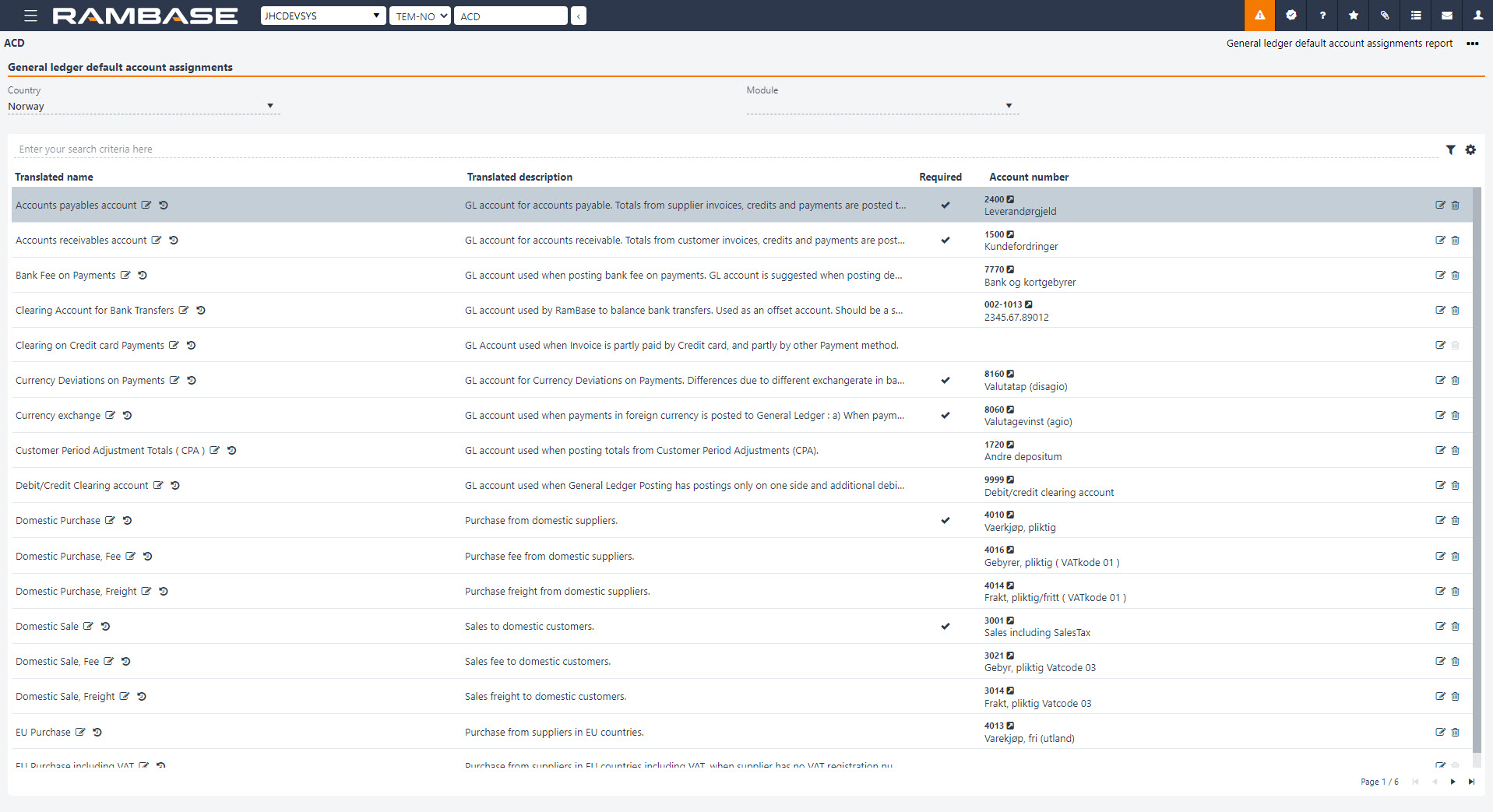
Aplikacja ACD wyświetla listę wszystkich kont domyślnych Księgi Głównej (ADD) dostępnych dla domyślnych ustawień konta. Za pomocą menu rozwijanego w polu Moduł można filtrować najistotniejsze konta domyślne.
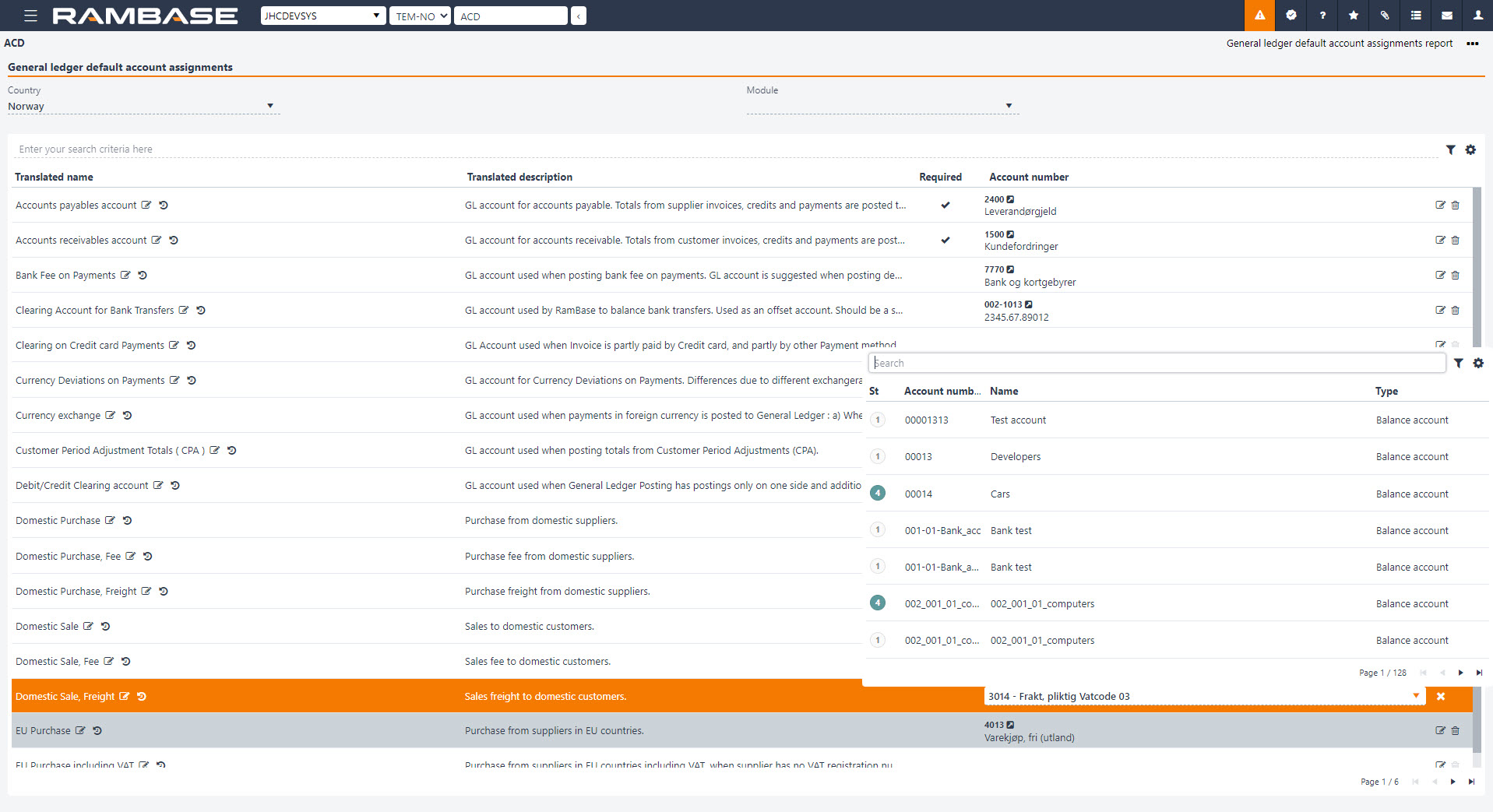
Użyj menu rozwijanego, aby ustawić lub zmienić domyślne konta.
[en] When a General ledger account (ACC) is connected to a General ledger default account assignments (ACD ) rule, the defined default blockings will automatically be applied without requiring additional manual setup. This helps ensure more consistent accounting configurations across the system.
[en] Hierarchical structure of Account defaults (ACD)
[en] Account defaults (ACD) are organized into parent and child levels, making it easier to identify relationships between main-level accounts and their subordinate accounts.
[en] Parent accounts are displayed at the top level, while related subordinate accounts are grouped beneath them. Use the expand and collapse controls to show or hide subordinate accounts.
[en] For example, the Inventory balance and Work in progress balance account defaults are displayed with their associated subordinate accounts.
[en] A main-level account is used when no account number has been configured for an applicable subordinate account. When a subordinate account is configured, it takes precedence over the main-level account for the relevant posting scenario. Account defaults without a defined parent relationship are displayed as standalone entries.
[en] Offset accounts
[en] Some Account defaults (ACD) have an associated offset account, typically identified by the suffix CHG in the account key.
[en] Related default accounts and their offset accounts are now presented together, making it easier to identify their relationship and verify the account configuration.
[en] View and maintain Account defaults (ACD)
[en] The tree structure provides a clearer overview of configured and unconfigured accounts. Assigned account numbers are displayed for configured accounts, while unconfigured accounts have no assigned account number.
[en] Related account defaults are grouped in a logical order, making it easier to navigate and maintain account configurations.
[en] Additional records are automatically loaded when scrolling through the list, eliminating the need to navigate between pages.
[en] Use the search functionality to locate specific account defaults and their related account configurations.
[en] Click the Edit icon to set or change the default account. You can also access revision information to review changes made to an account.
[en] When a General ledger account (ACC) is connected to an Account defaults (ACD) rule, the defined default blockings are automatically applied without requiring additional manual setup.