Enter Account defaults (ACD)
The Account defaults (ACD) setup is done to automate the book-keeping to a certain extent. In RamBase some Account defaults (ACD) are mandatory, but most are optional. The Account defaults (ACD) setup in RamBase can be quite extensive, but will ensure efficiency and control of the ledger postings. The Account defaults (ACD) can be set up module by module for improved overview.
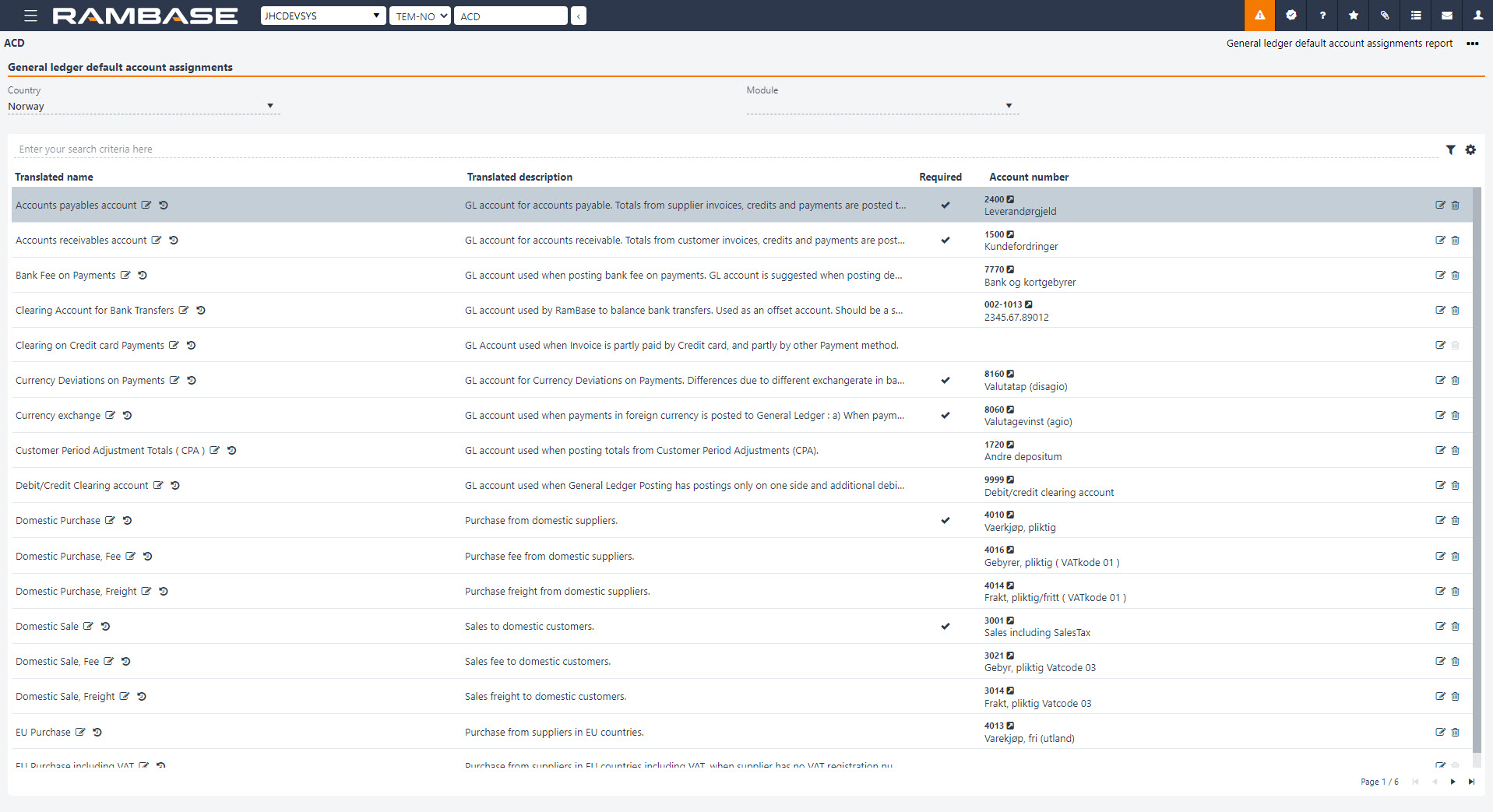
The Account defaults (ACD) application provides an overview of available default accounts and their configurations. Default accounts are organized in a hierarchical tree structure, making it easier to identify relationships between accounts and maintain their settings.
Click the Edit icon and use the drop-down menu to set or change default accounts.
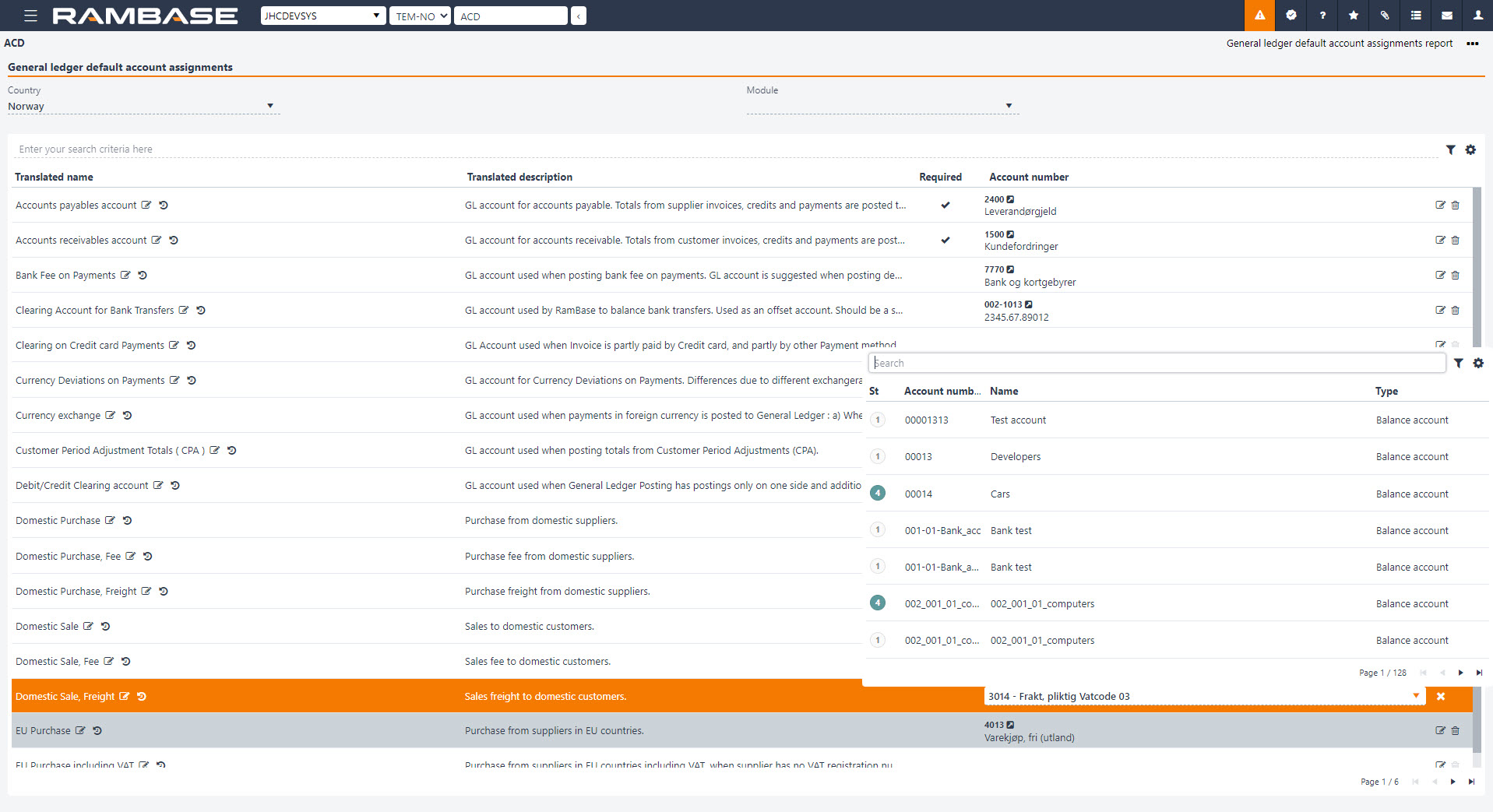
When a General ledger account (ACC) is connected to a General ledger default account assignments (ACD ) rule, the defined default blockings will automatically be applied without requiring additional manual setup. This helps ensure more consistent accounting configurations across the system.
Hierarchical structure of Account defaults (ACD)
Account defaults (ACD) are organized into parent and child levels, making it easier to identify relationships between main-level accounts and their subordinate accounts.
Parent accounts are displayed at the top level, while related subordinate accounts are grouped beneath them. Use the expand and collapse controls to show or hide subordinate accounts.
For example, the Inventory balance and Work in progress balance account defaults are displayed with their associated subordinate accounts.
A main-level account is used when no account number has been configured for an applicable subordinate account. When a subordinate account is configured, it takes precedence over the main-level account for the relevant posting scenario. Account defaults without a defined parent relationship are displayed as standalone entries.
Offset accounts
Some Account defaults (ACD) have an associated offset account, typically identified by the suffix CHG in the account key.
Related default accounts and their offset accounts are now presented together, making it easier to identify their relationship and verify the account configuration.
View and maintain Account defaults (ACD)
The tree structure provides a clearer overview of configured and unconfigured accounts. Assigned account numbers are displayed for configured accounts, while unconfigured accounts have no assigned account number.
Related account defaults are grouped in a logical order, making it easier to navigate and maintain account configurations.
Additional records are automatically loaded when scrolling through the list, eliminating the need to navigate between pages.
Use the search functionality to locate specific account defaults and their related account configurations.
Click the Edit icon to set or change the default account. You can also access revision information to review changes made to an account.
When a General ledger account (ACC) is connected to an Account defaults (ACD) rule, the defined default blockings are automatically applied without requiring additional manual setup.